
Building a global IgG4-RD community just got easier.
Our new and improved online community is now found in an easy-to-use mobile app.
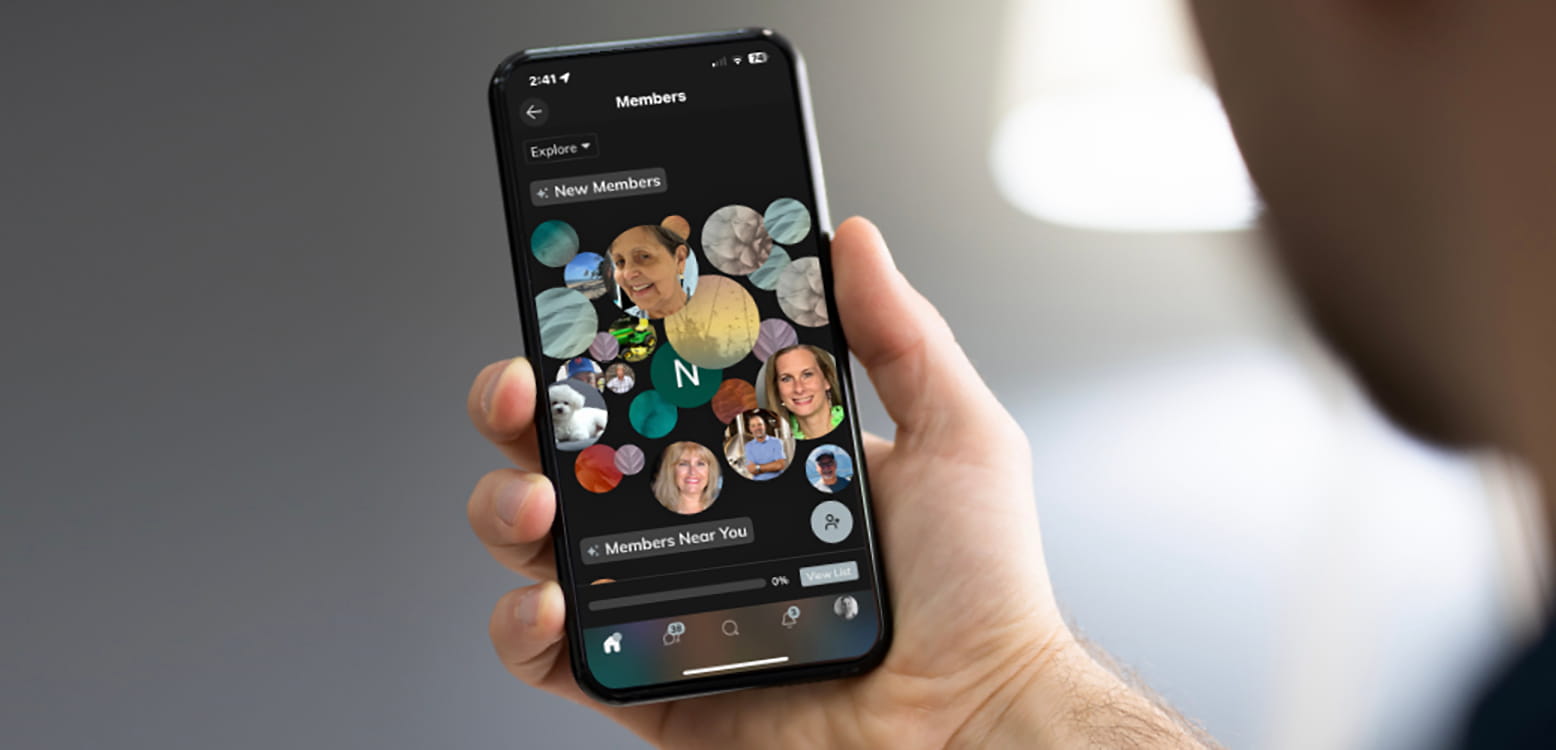
Building a global IgG4-RD community just got easier.
Our new and improved online community is now found in an easy-to-use mobile app.
A better experience for a growing community
This new online community app is replacing the experience that currently lives on our site. With your gracious input, we learned you were eager to connect with others, but the experience we had just wasn’t cutting it.
That’s why we chose the Mighty Networks app, a purpose-built digital platform dedicated to making it easy for organizations to build strong communities.
So please be sure to join the only online community focused solely on IgG4-RD. Download the Mighty Networks app to your phone, find the IgG4ward community and create your community member profile. Instructions on how to get started are provided below.

Why join the online community using the new app?

Make New Connections
While you often have a great support system of family and friends, connecting with more people managing IgG4-RD can open a whole new world of support.

Chats of All Sizes
We are all in this together, and the new app allows us to chat as one big community. But you can also start smaller chats with only those who best reflect your unique journey. You can even chat 1:1.

Choose How You Engage
Whether you plan to fully engage in the community or you prefer to observe more than participate, you can manage the app settings and notifications to your liking. The choice is yours.

Stay Informed
The number of in-person events is growing. Clinical news and progress is being made. Our virtual Fireside Chats and Caregiver Conversations happen monthly. Never miss a beat as the app will help keep you apprised.
How to get started
Step 1: Download the Mighty Networks app
To join the IgG4ward online community, you must first download the Mighty Networks app on your mobile device. You can do this by clicking on the app store buttons shown here. Once downloaded, follow the instructions below to find the IgG4ward community and to create a profile.


Step 2
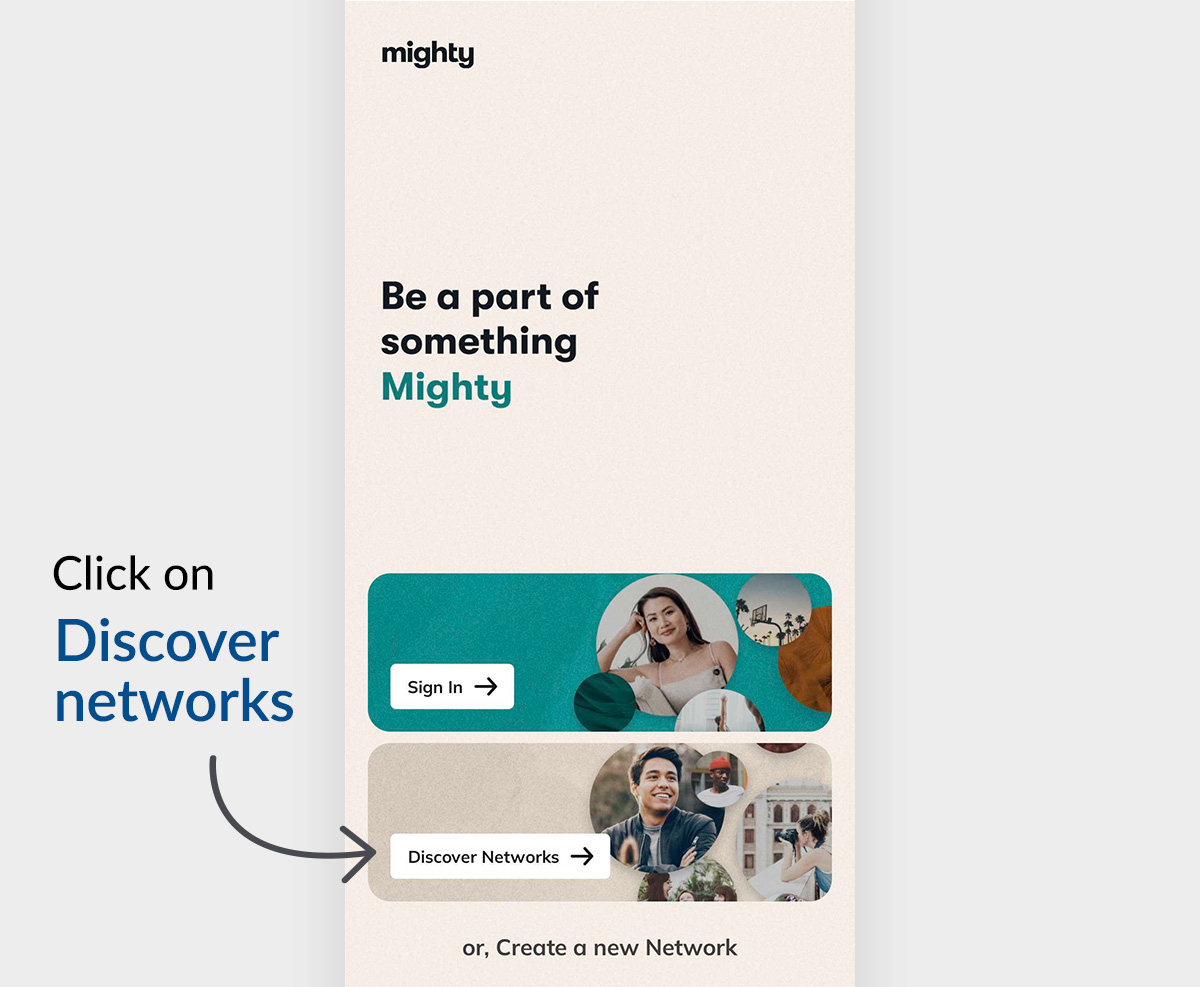
Open the Mighty Networks app and click “Discover Networks” at the bottom of the page.
Step 3
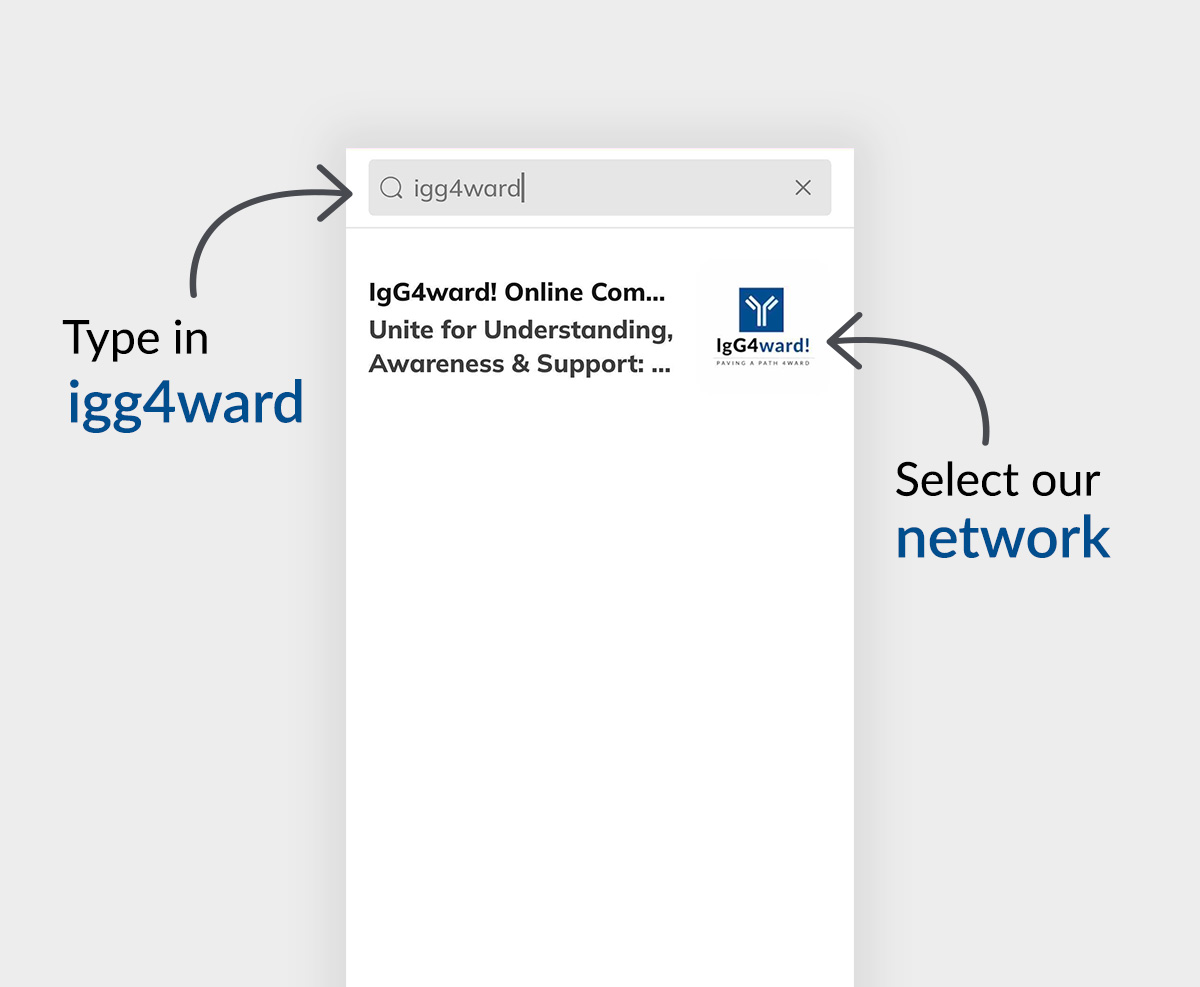
A search bar opens and please type in “igg4ward.” You will see the “IgGward! Online Community network listed as the first option.
Step 4
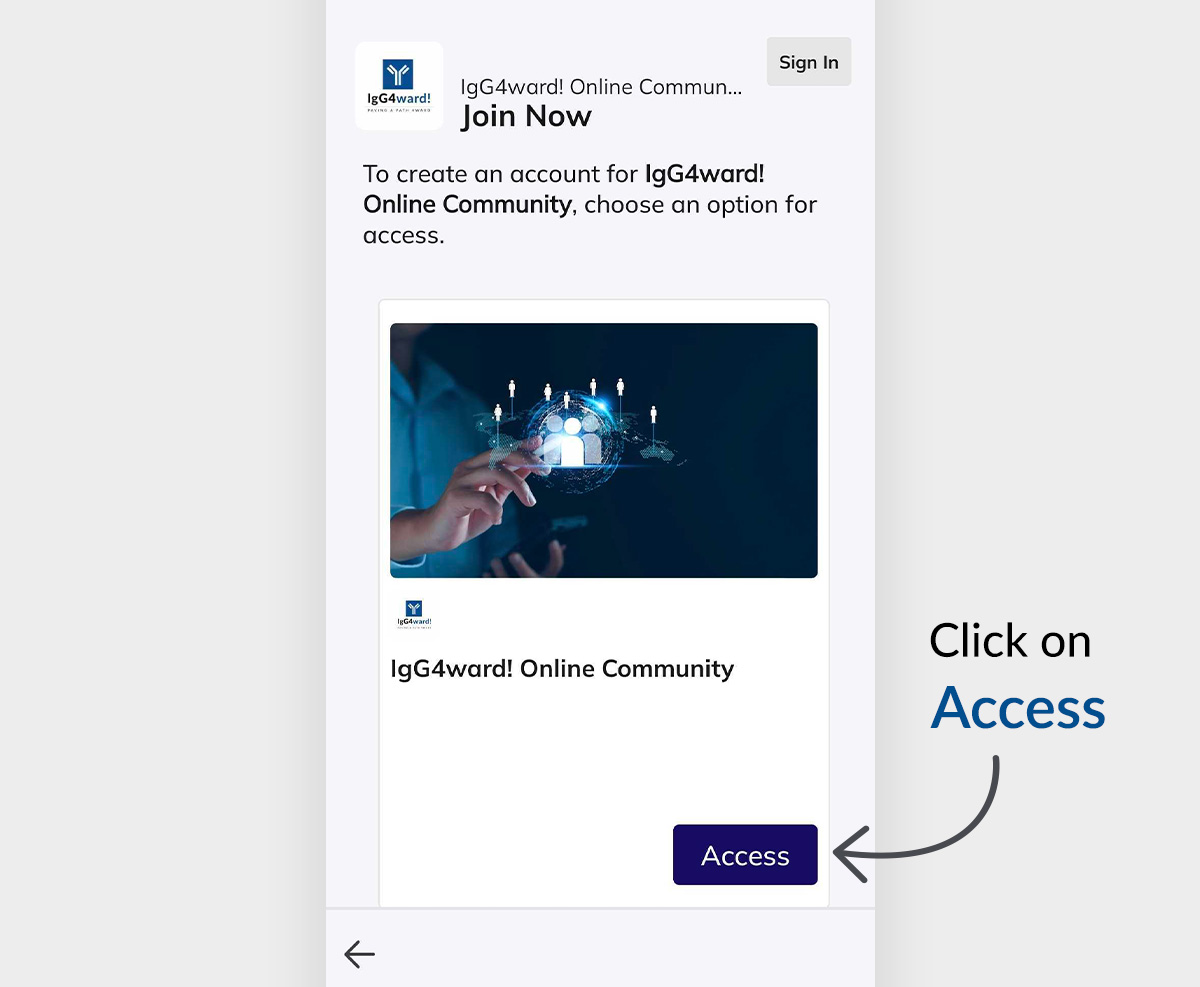
You are now on the IgG4ward! Community homepage inside the Mighty Networks app. It will give you the option to sign in or Join Now by clicking Access near the bottom of the page. Please click “Access.”
Step 5
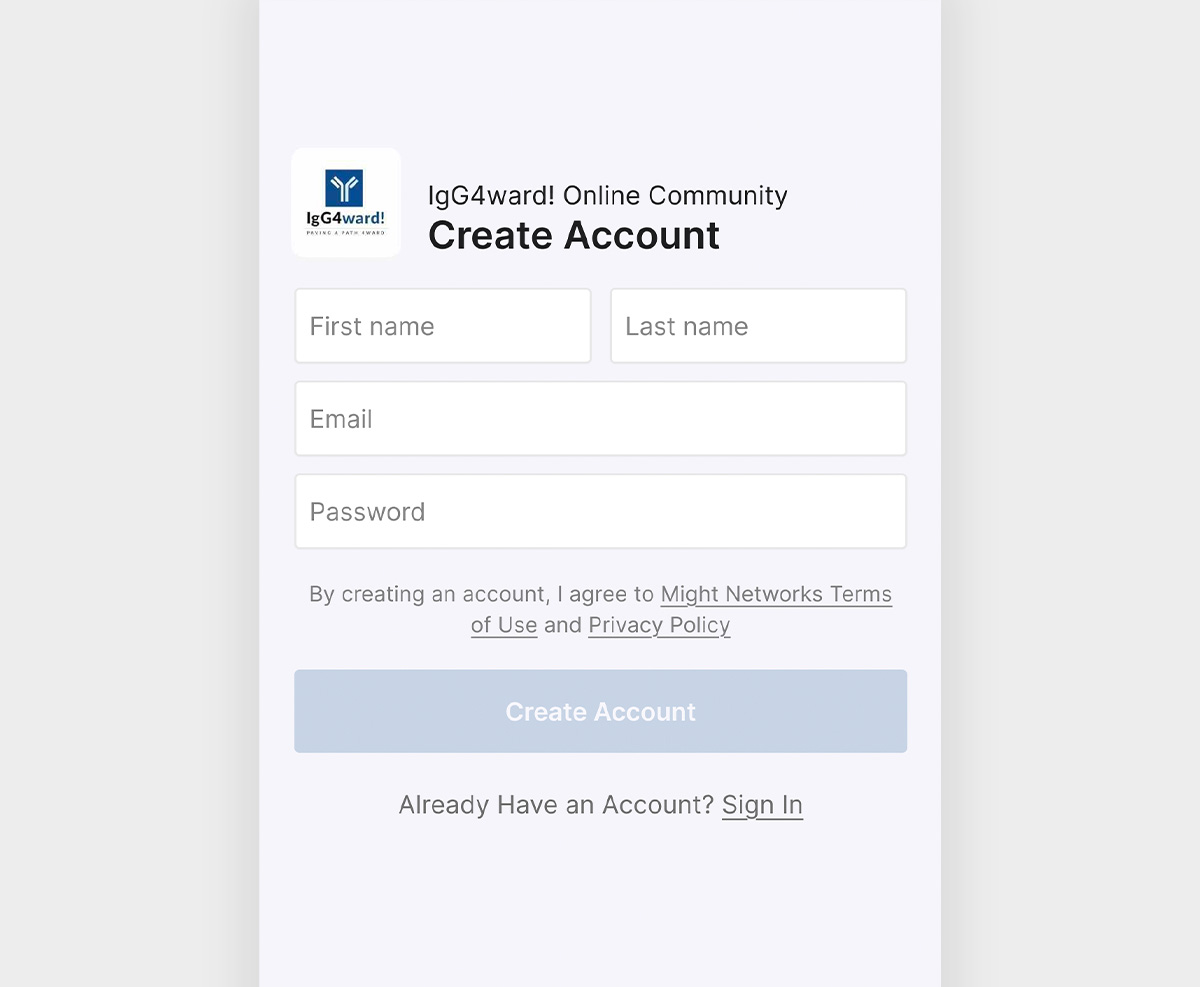
Fill out the necessary information, your name and email, in the form provided and click “Create an Account.”
Step 6
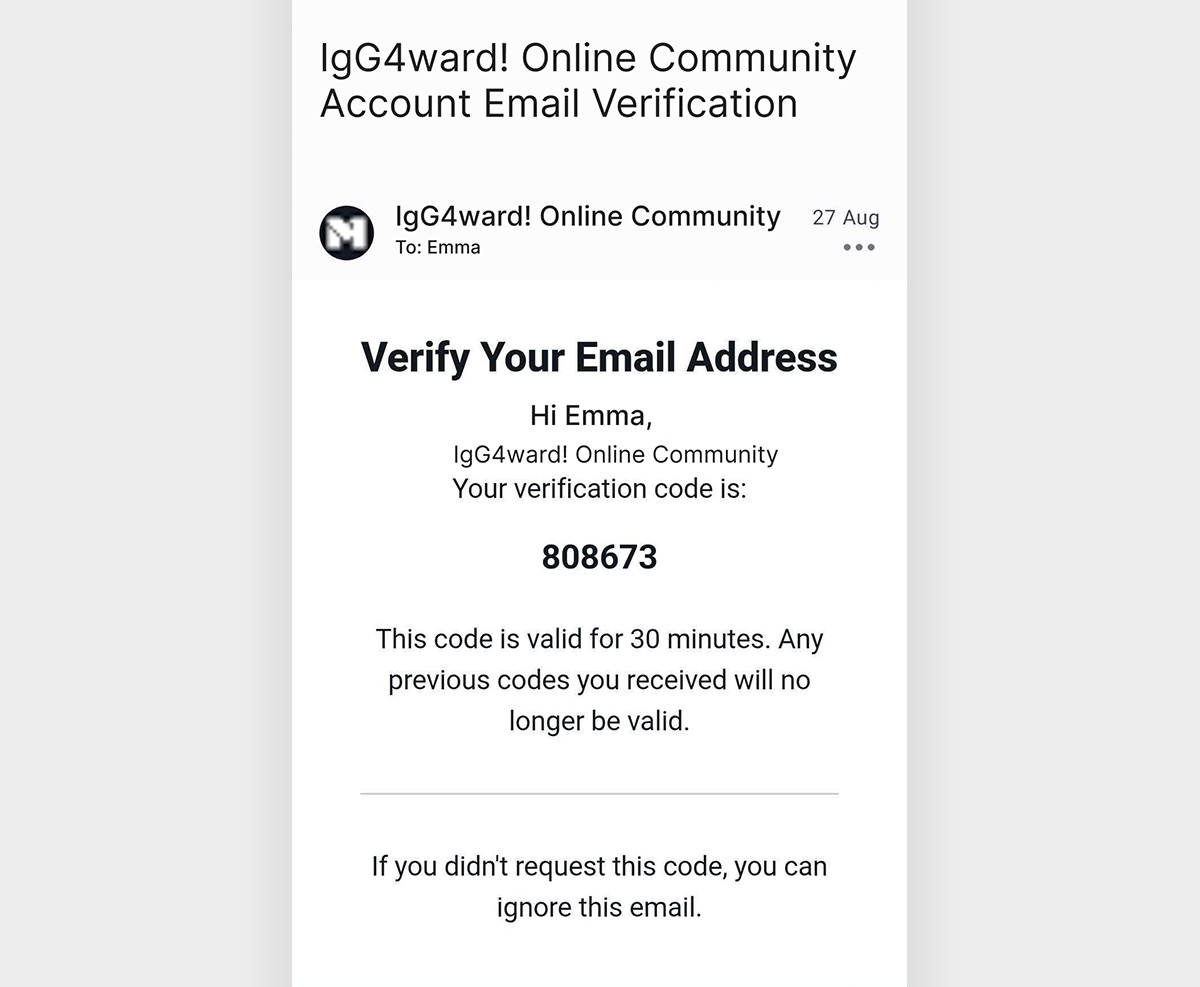
You will be prompted to go to your email inbox to retrieve a verification code that must be entered in the app. Please enter the code and submit. After following these steps you will proceed with filling out your community profile.
Welcome to the community
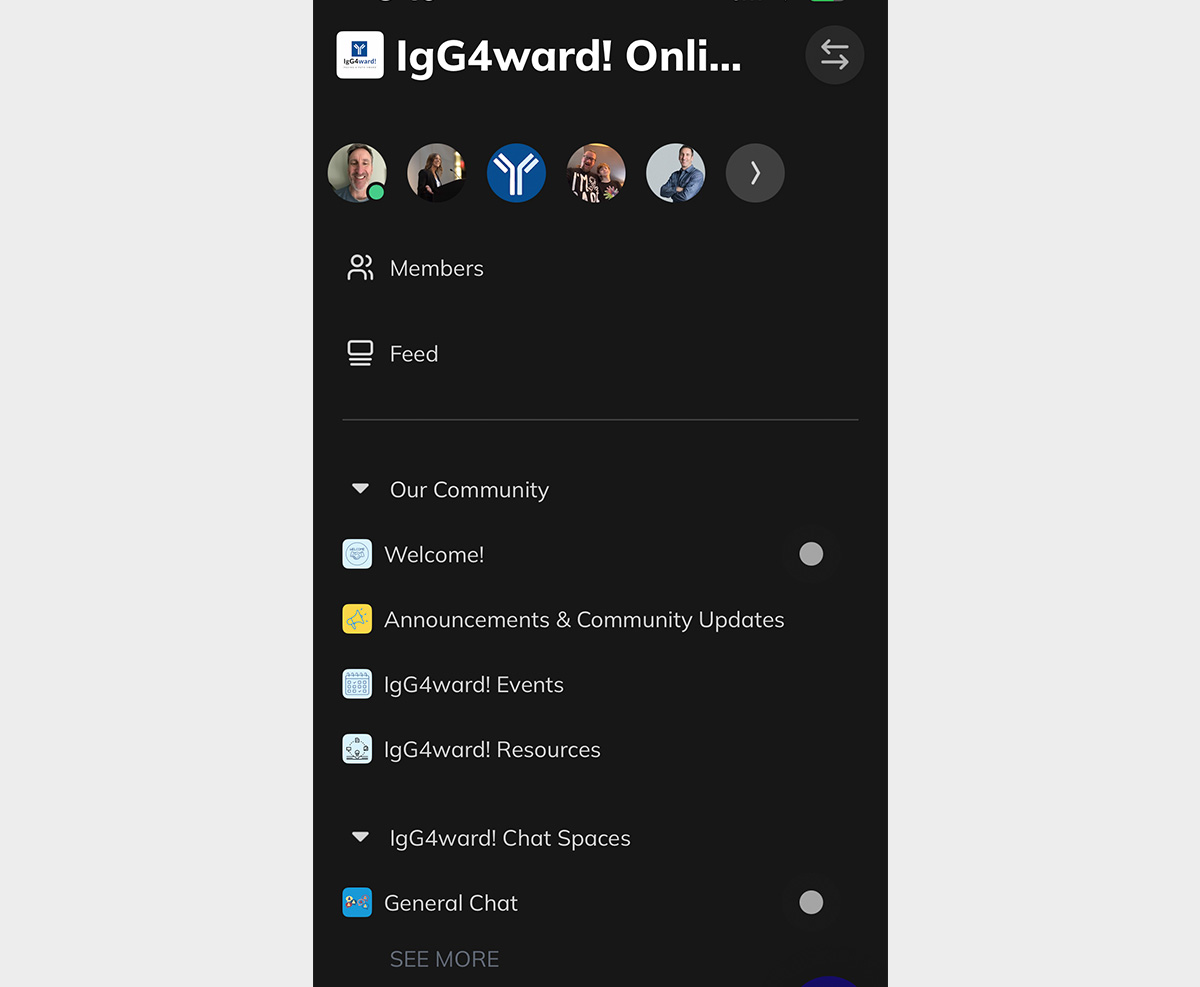
Once complete, you are officially a member of our online community. Congratulations and we are thrilled to have you. Be sure to browse around the community menu. Feel free to join a chat, start your own chat, connect with members, check out the event listings, or simply peruse at your leisure. Whatever you do, please know we appreciate you being a part of our growing global community.