
Say goodbye to repeating yourself
The IgG4ME! app puts your full medical story in your pocket. It's web-based so no downloads necessary, and It's built for simplicity so it’s easy to use and navigate.
Learn more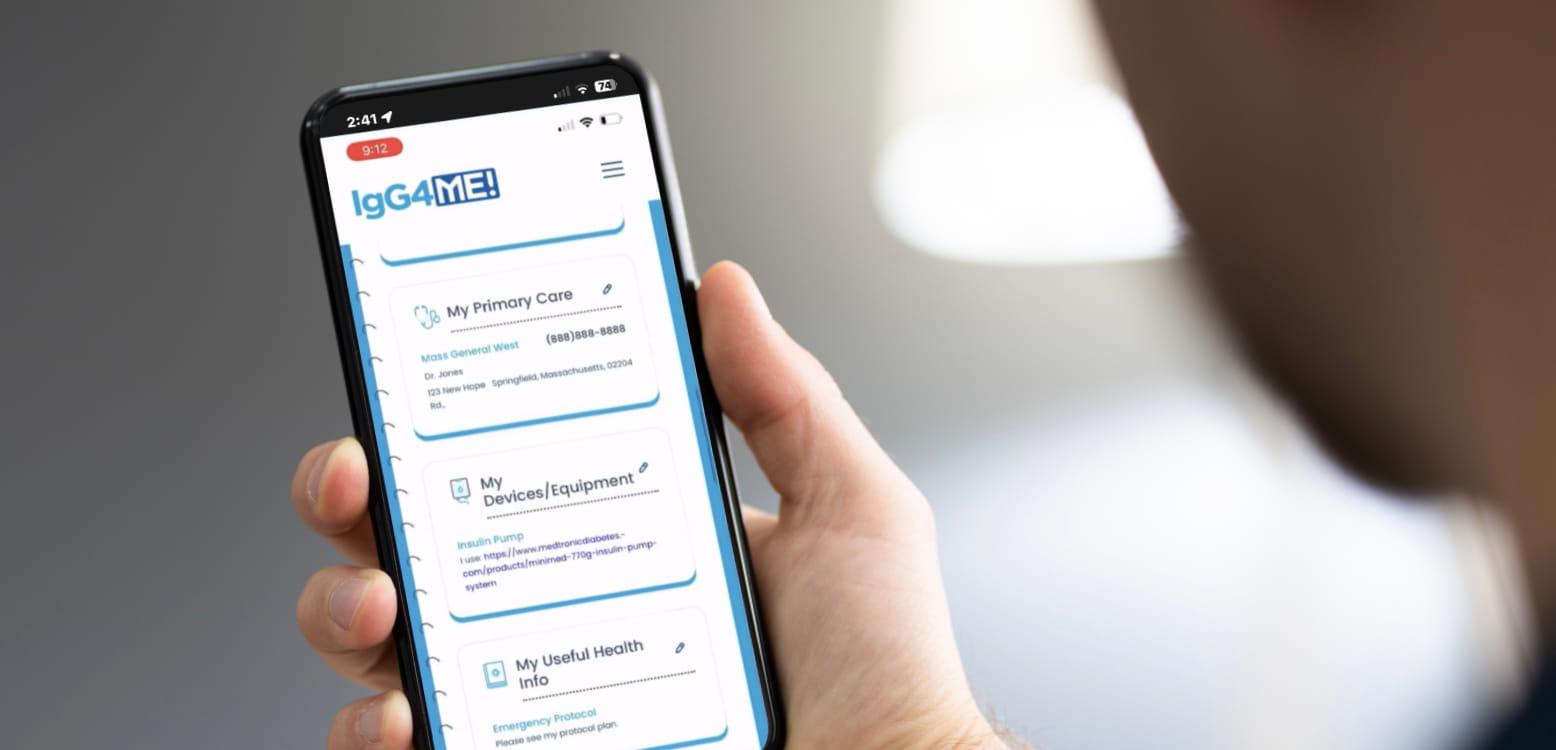
Say goodbye to repeating yourself
The IgG4ME! app puts your full medical story in your pocket. It's web-based so no downloads necessary, and It's built for simplicity so it’s easy to use and navigate.
Learn moreLess time managing details. More time focusing on what matters.
The IgG4ward! Foundation has partnered with mejo to customize their care coordination solution into a free app for our members called IgG4ME! As a patient or caregiver, once you register and create a profile on IgG4ME!, you can enter the details of your entire IgG4-RD history (and other medical history) into a well-organized, easy-to-share interface.


Store your health history

Share instantly with doctors or caregivers

Add care team contacts

Track labs and appointments
See IgG4ME in Action
How to get started
In four easy steps you can start simplifying your IgG4-RD data today.
Go to the registration portal, fill out the form, create a profile and start entering your medical history.
Be sure to add IgG4ME! to the home screen of your phone. It is a web-based app that does not require the typical download from an App Store. Instead, you can save the web url of the app as an icon on your phone or tablet. See Step 4 below on how to do so.

Step 1
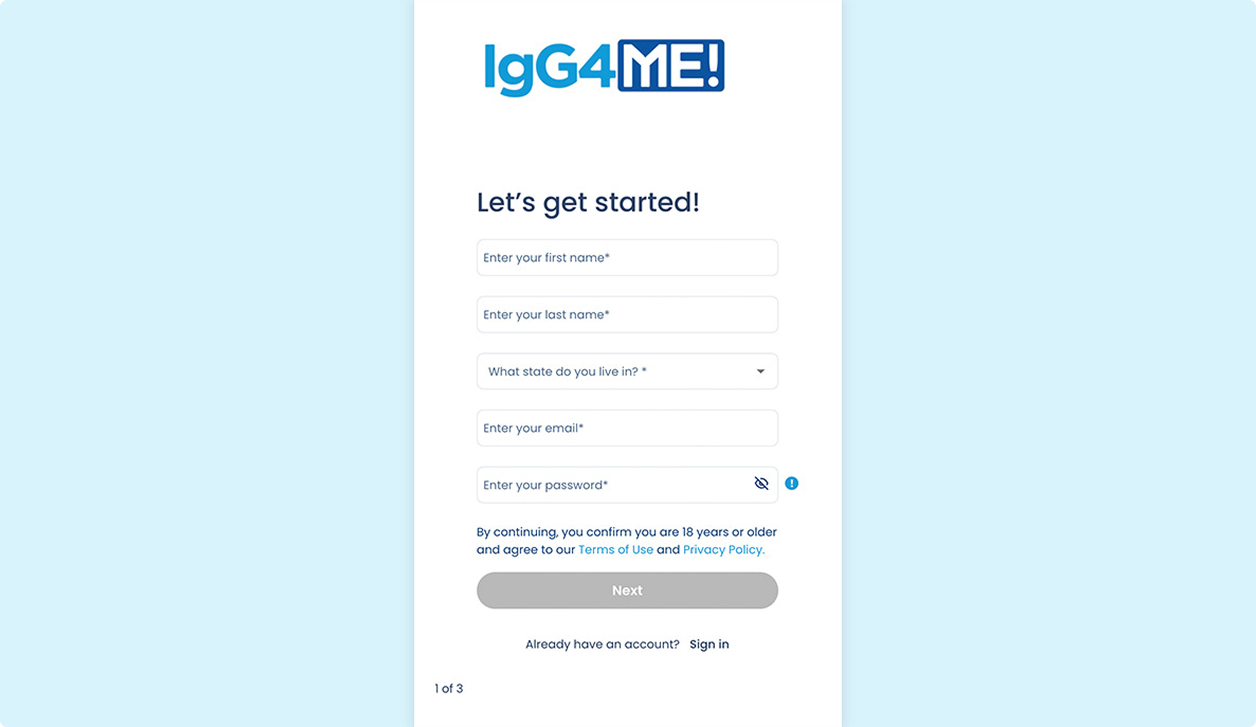
Click any of the Get Started buttons on this page or go to app.igg4ward.org. This will take you to the IgG4ME! registration portal.
Step 2
Fill out the registration form on the portal page and click “Next.” You may also want to take a moment to read the Terms and Conditions and Privacy Policy of the app at this time. Simply click on the highlighted text above the “Next” button.
Step 3
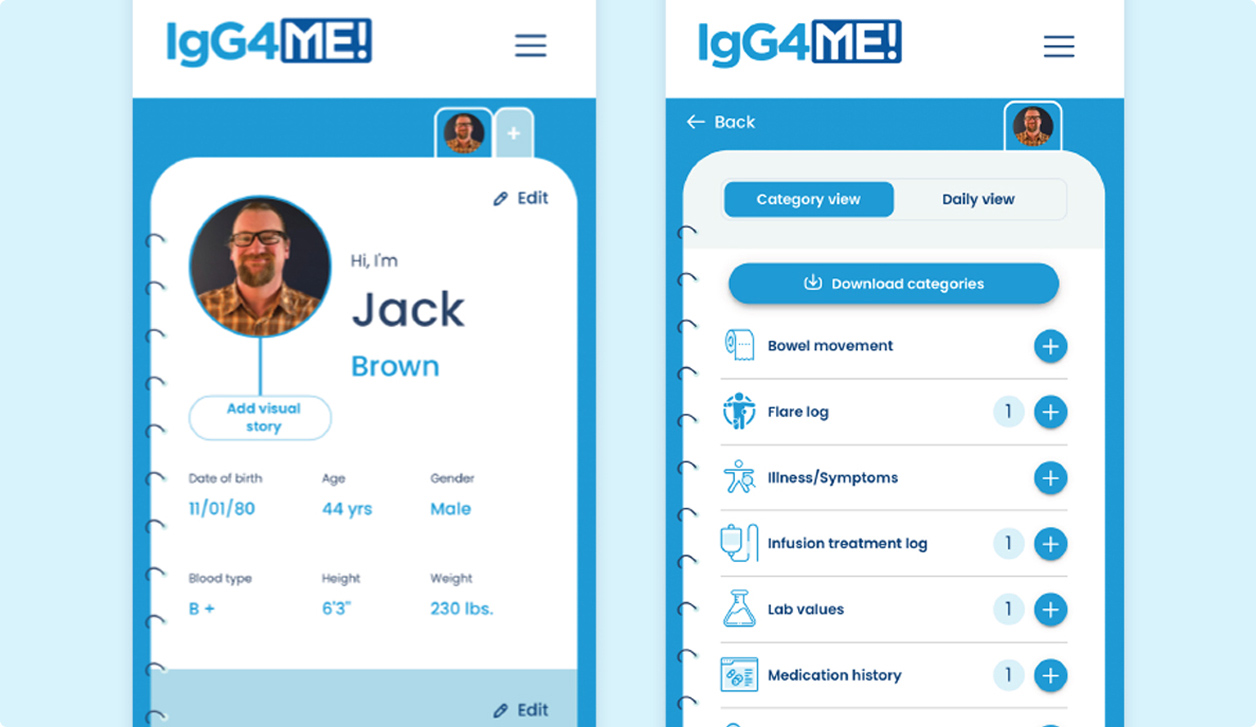
You now have an IgG4ME! profile. You can begin entering your medical history by clicking into any one of the 10+ commonly used categories associated with tracking your healthcare journey. We suggest carving out 15-minute chunks of time to enter information into the app as trying to do it all at once can feel overwhelming.
Step 4
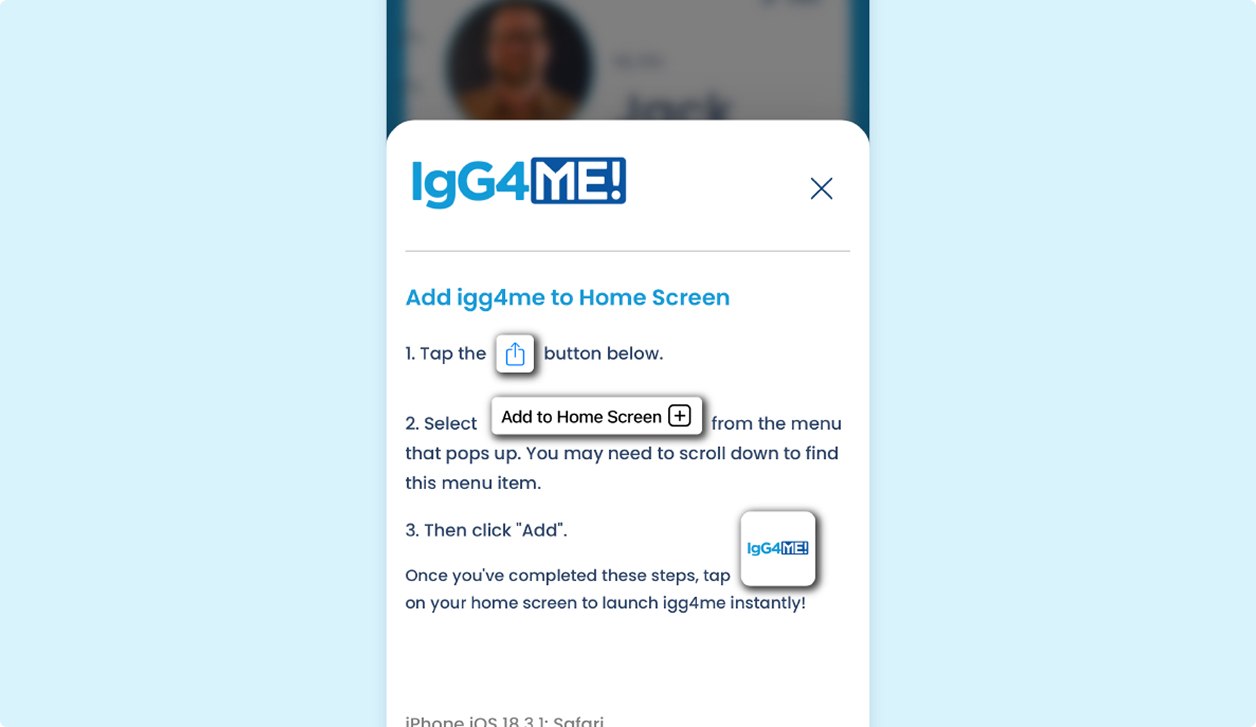
Add IgG4ME! to the homescreen of your mobile phone. IgG4ME! is a web based app, so it does not require you to go to an app store to download. However, you can still add an app icon to your phone so you can open your profile the same way you would open any other app. Start by going to a web browser on your phone (Google, Safari, etc), and enter the following url: app.igg4ward.org. You will then be prompted with a pop-up window that gives you specific instructions on how to add IgG4ME! to your homescreen.
Please read before getting started
The IgG4ward! Foundation is pleased to work with mejo to bring you the IgG4ME! app, designed to simplify the organization of your IgG4-RD data. The IgG4ME! app is powered by the technology of mejo, LLC (www.mymejo.com). mejo has a Privacy Policy and Terms of Use that we encourage you to read. We provide a summary of mejo’s Privacy Policy as well as the full Privacy Policy and Terms of Use (see below).
mejo’s Privacy Policy permits you to request that mejo:
not collect or use your personal or health information for its own marketing purposes; and
not share your personal information.
To exercise your opt-out rights under mejo’s Privacy Policy, send a request to contact@mymejo.com stating: “I exercise my opt out rights.” Mejo will provide you written confirmation of this change.
You may click here to register for IgG4ME!. Click here to read a summary of the mejo Privacy Policy. Click here to read the full mejo Privacy Policy. Click here to read the Terms of Use.
"As a cherished member of our IgG4ward community, you deserve every resource we can make available to support your IgG4-RD journey. The new IgG4ME! app is a small offering to relieve the big challenge of keeping your medical history organized and easy to access."
Dr. John Stone, Founder & Executive Chairman & Katharine Provencher, Director of Advocacy & Community Engagement